Website Analytics for Headless CMS Websites: A 2026 Guide
Plan headless CMS analytics with production-only tracking, normalized URLs, stable content IDs, and a framework-independent deployment checklist.

TL;DR
Place visitor tracking in the published frontend, then validate pageviews, preview exclusions, and content identifiers. Compare deployment requirements before selecting a provider; frontend events and server logs measure different activity.
Website analytics for headless CMS websites should measure published experiences, not just content delivery. Headless CMS: a backend content repository that makes content accessible through an API. Teams evaluating Faurya can start with a measurement plan connecting traffic, content, and business outcomes.
Table of Contents
Place tracking in the published frontend
Visitor tracking belongs in the frontend where published pages appear; CMS API activity should remain a separate operational measurement. Web analytics: the measurement, collection, analysis, and reporting of web data to understand and improve website usage.
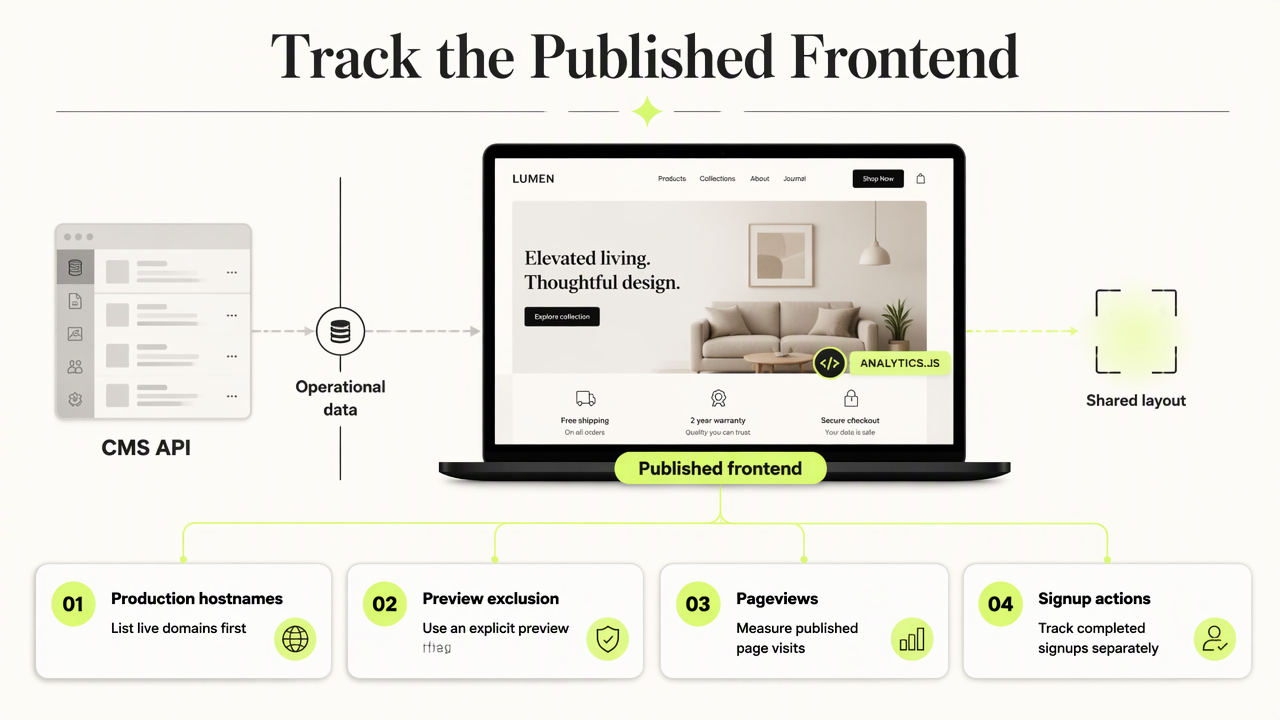
A recommended event model separates pageviews from actions such as completed signups. Teams using specific frameworks can consult guidance for Next.js SaaS analytics or Astro website analytics.
Framework-independent installation checklist
- Define production hostnames and an explicit preview-environment flag.
- Add tracking through the shared frontend layout or application entry point.
- Record the initial pageview and test client-side navigation for exactly one event per visit.
- Keep CMS API requests separate from visitor events.
- Verify one conversion against its successful completion state.
Acceptance test: a direct landing, an internal navigation, and a completed signup should produce the intended events.
Compare analytics deployment requirements
Analytics selection should follow deployment requirements rather than the CMS brand. A frontend built from Contentful, Sanity, or Strapi content needs an explicit measurement contract: hostname rules, navigation handling, event fields, and retention expectations.
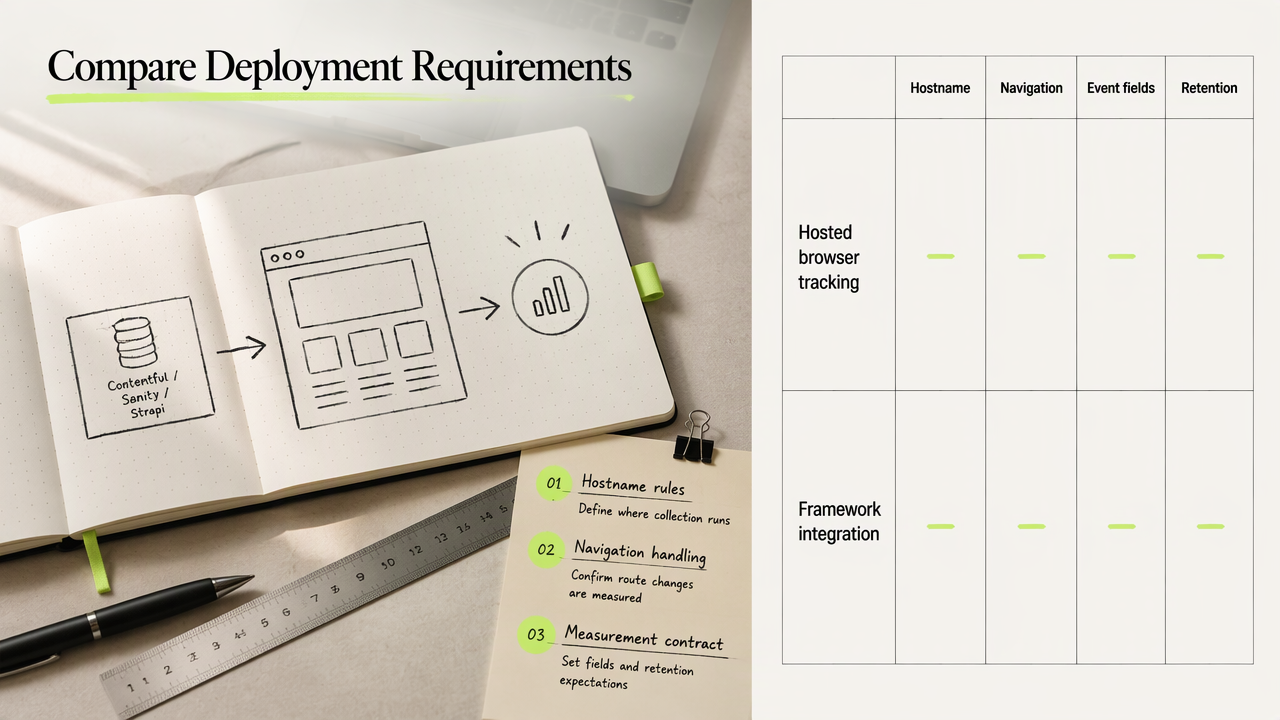
For teams evaluating Faurya, that contract provides a focused basis for a product assessment. First-party analytics guidance can support decisions about how collection fits the website architecture.
Requirements to verify before choosing a tool
| Deployment approach | Requirement to verify | Intended measurement |
|---|---|---|
| Hosted browser tracking | Script setup, navigation hooks, domain controls | Published pageviews and actions |
| Self-hosted collection | Hosting, maintenance, retention controls | Events under operator-managed infrastructure |
| Server-side events | Endpoint authentication and deduplication | Confirmed backend outcomes |
These are evaluation categories, not verified product capabilities. Each shortlisted provider should demonstrate its supported setup in current documentation.
A practical trial should use the same event names and test cases across providers, making reporting differences easier to inspect.
FAQ: Keep content reporting consistent
Consistent reporting requires explicit rules for preview traffic, URL identity, and event properties.
How should preview environments be excluded?
- Allow tracking only on approved production hostnames.
- Disable collection when the CMS preview flag is active, including previews served on production domains.
- Test draft links and deployment previews before release.
The acceptance criterion is simple: preview sessions produce no production visitor events.
How should URLs and content identifiers be normalized?
- Define a canonical path policy for trailing slashes and aliases.
- Separate campaign attribution from page identity, removing irrelevant parameters from reporting keys.
- Attach the CMS's stable content ID to supported event properties.
Preserve locale separately so translated pages remain distinguishable when titles or slugs change.
What personal data should content events contain?
Content events should contain only fields needed for the measurement goal, such as a non-personal content ID, locale, and event name. Review personal data in analytics before adding user-related properties. Anonymous analytics guidance offers a related planning reference.
Prefer content identifiers over visitor-identifying fields.
Conclusion
A production pilot should validate the event contract before a wider rollout. Teams assessing Faurya can visit faurya.com, review the available deployment guidance, and test one published route plus one completed conversion against the checklist.
Generated by EarlySEO.com
Looking for a free website analytics tool? Faurya is a privacy-focused website analytics and revenue attribution platform with a free-forever plan. Get 50,000 free events every month, with no credit card required. Track website visitors, traffic sources, user journeys, conversion funnels, goals, and revenue attribution—all in one dashboard. Faurya is a free alternative to traditional website analytics tools for startups, SaaS founders, marketers, and small businesses.