Installation Guidelines
Replit
How to add Faurya to your Replit AI-assisted project.
Add Faurya to your Replit project
Replit supports various frameworks and includes an AI assistant to help modify your code. You can use Replit Agent to integrate Faurya analytics into your web application.
Step 1: Locate your Faurya credentials
Access your Faurya website settings and copy your Website ID and domain name.
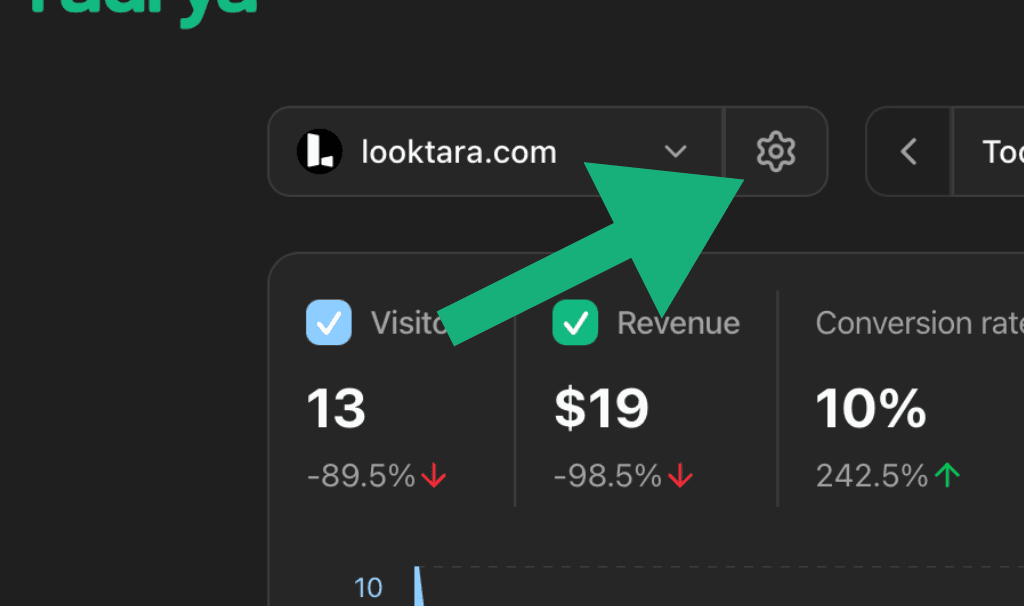
Your tracking script contains this information:
<scriptdeferdata-website-id="YOUR_WEBSITE_ID"data-domain="yourdomain.com"src="https://faurya.com/js/script.js"></script>Step 2: Ask Replit Agent to add tracking
Open Replit Agent (AI assistant) and use this customized prompt:
Help me integrate Faurya analytics into my web project. I need thistracking script added to work across my entire application:<scriptdeferdata-website-id="YOUR_WEBSITE_ID"data-domain="yourdomain.com"src="https://faurya.com/js/script.js"></script>Implementation based on my project type:- HTML/CSS/JS projects: Add to the <head> section of index.html and all pages- React projects: Use proper Script component in the main layout- Next.js projects: Add Script component to _app.js or layout- Express/Node.js: Include in your template engine or static HTML files- Python Flask/Django: Add to base template head sectionRequirements:- Script must load on every page/route- Preserve the defer attribute- Use the exact source URL: https://faurya.com/js/script.jsPlease implement this and show me exactly what changes you made to which files.Step 3: Test your implementation
After Replit Agent makes the changes:
- Run your project — Use Replit's run button to start your application
- Open the preview — View your app in Replit's webview or open the public URL
- Check analytics — Monitor your Faurya dashboard for visitor data
For advanced configuration options like localhost tracking, custom API endpoints, or cross-domain setup, see the script configuration reference.
Troubleshooting with Replit Agent
If tracking isn't working:
The Faurya analytics doesn't seem to be working. Can you help debugthis?Please verify:1. What type of project am I running? (React, HTML, Next.js, etc.)2. Which files did you modify to add the analytics?3. Is the script loading in the browser's developer tools?4. Will it track visitors on all pages of my site?The analytics should connect to: https://www.faurya.com/js/script.jsWith my website ID: YOUR_WEBSITE_IDPlease fix any implementation issues you find.Common issues:
- Script only added to one page instead of globally
- Wrong file modified for the project framework
- Analytics not working in Replit's development preview
- Project not publicly accessible for testing
Need help?
Contact us at team@faurya.com if you need help with your Replit integration.