Session Replay vs Privacy-Friendly Web Analytics: 2026 Decision Guide
Compare session replay and privacy-friendly web analytics across privacy risk, performance, insight depth, conversion tracking, and team fit.
TL;DR
Session replay is best for diagnosing specific UX friction, while privacy-friendly analytics is better for routine traffic, campaign, and conversion reporting. Most SaaS, ecommerce, and content teams should start with lightweight analytics, then add replay only for focused investigations.
Session replay vs privacy-friendly web analytics is really a choice between watching individual behavior and measuring aggregate behavior. Session replay: the ability to replay a visitor's process through a website, mobile app, or web app, including views, inputs, and technical events. Privacy-friendly web analytics: lightweight measurement that reports visits, sources, pages, and conversions with minimal personal data.
Table of Contents
What is the difference between session replay and privacy-friendly analytics?
Session replay captures qualitative experience, while privacy-friendly analytics captures quantitative performance. Replay helps product and UX teams see rage clicks, form hesitation, broken layouts, and checkout confusion. Analytics helps growth teams answer which channels, pages, and campaigns produce visits, signups, and revenue.
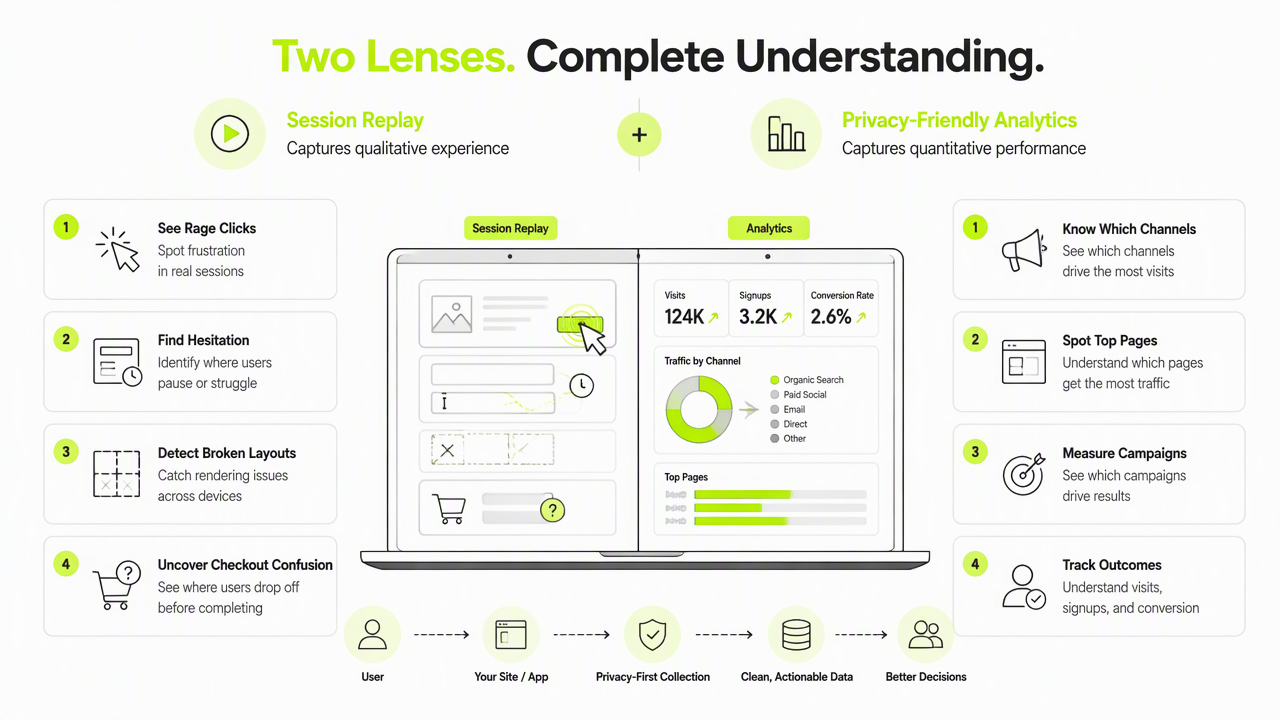
Plausible Analytics states that it is not a session replay or heatmap tool, which shows the category boundary clearly. OpenReplay-style tools focus on behavioral reconstruction; Plausible-style tools focus on simple web performance reports.
Core capabilities compared
| Need | Session replay | Privacy-friendly analytics |
|---|---|---|
| UX debugging | Strong for individual sessions | Limited to aggregate signals |
| Conversion tracking | Useful for funnel friction | Strong for goals and campaigns |
| Privacy exposure | Higher, needs masking and controls | Lower by design |
| Page speed impact | Heavier scripts and event capture | Usually lighter scripts |
| Team workflow | Product, UX, support | Marketing, founders, growth |
Key insight: replay explains why a user struggled; analytics explains where performance changed across the whole site.
How do privacy, performance, and compliance differ?
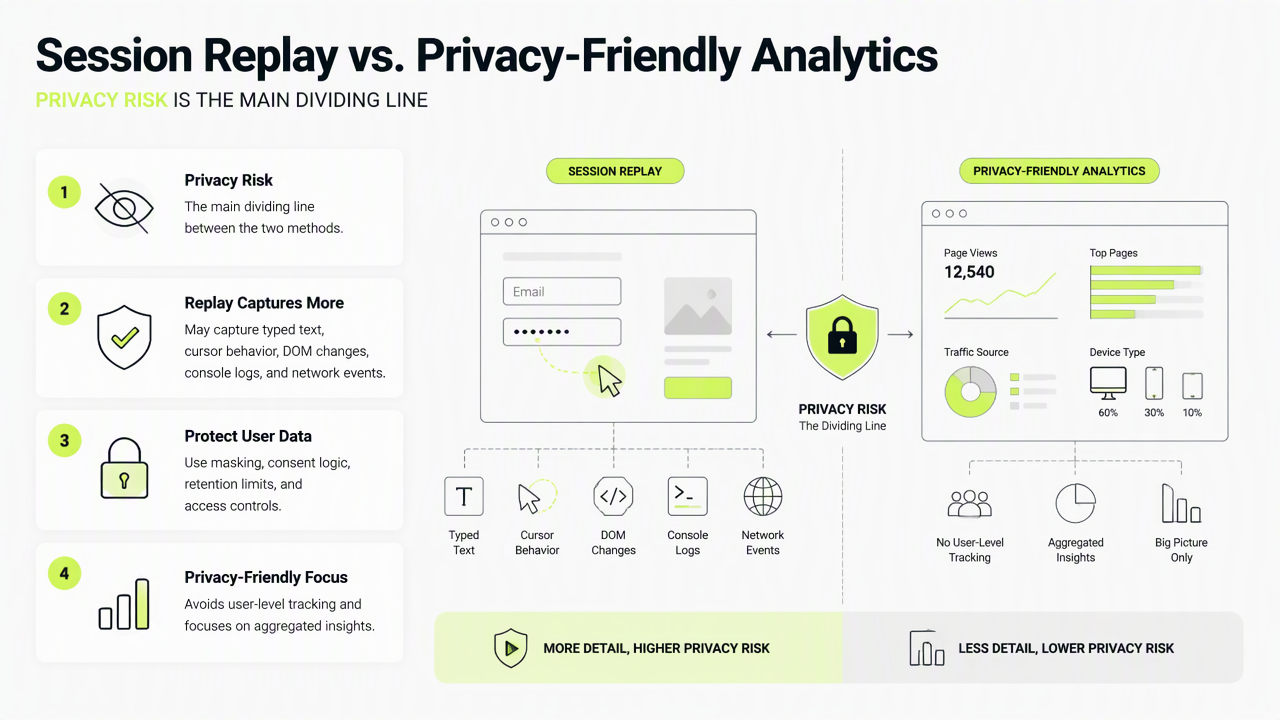
Privacy risk is the main dividing line between the two methods. Session replay may capture typed text, cursor behavior, DOM changes, console logs, and network events, so teams need masking, consent logic, retention limits, and access controls. Privacy-friendly analytics usually avoids user-level tracking and focuses on totals, referrers, device classes, geography, and conversion events.
Performance also matters. A 2022 survey by Katal, Dahiya, and Choudhury examined software technologies for energy efficiency in cloud computing data centers, a useful reminder that extra data processing has operational cost. Heavier client scripts can also affect site responsiveness, especially on mobile connections.
Risk controls that matter in 2026
- Mask fields that may contain names, emails, payment data, health data, or private messages.
- Disable capture on account, billing, password, checkout, and support pages unless a strong reason exists.
- Set short retention windows for replay clips and logs.
- Restrict access by role, not by general company login.
- Document consent, lawful basis, and data processing flows.
Security research by Zografopoulos, Ospina, and Liu on threat modeling and risk assessment supports a broader principle: systems that collect richer behavioral data need clearer threat models, metrics, and governance.
When should teams choose replay, analytics, or both?
Privacy-friendly analytics is enough when the main task is measuring acquisition, content performance, landing-page conversion, or marketing ROI. Session replay earns a place when aggregate numbers show a problem but cannot explain the cause. Combining both works best when replay is triggered only around high-value funnels, bugs, or experiments.
A privacy-first stack can keep routine reporting lightweight while adding deeper diagnostics only where business value justifies the added sensitivity.
Decision framework for growth teams
- Choose Faurya or another privacy-friendly analytics platform first when the goal is clean traffic, source, and conversion reporting.
- Add session replay for focused UX investigations, such as failed trials, checkout abandonment, or support tickets tied to confusing screens.
- Combine both when analytics flags a funnel drop and replay samples can explain the behavior behind it.
- Avoid always-on replay across every page unless legal, security, and product teams agree on masking, retention, and access rules.
The Faurya platform fits teams that want simple performance visibility before adding heavier behavioral tools. More details are available at faurya.com.
Conclusion
Session replay vs privacy-friendly web analytics is not a winner-takes-all decision. Analytics should be the default for daily reporting, replay should be a targeted diagnostic layer, and both should follow clear consent and data-minimization rules. For a privacy-conscious starting point, evaluate Faurya, define the key conversion events, then add replay only where evidence shows a real UX question.
Generated by EarlySEO.com