Best Cookieless Analytics Tools for Webflow Websites in 2026
Compare the best cookieless analytics tools for Webflow sites by setup, privacy, events, dashboards, and fit for SaaS, agencies, and ecommerce.
TL;DR
Faurya, Webflow Analyze, Fathom, PostHog, Plausible, and GA4 serve different Webflow analytics needs. Privacy-first teams should favor cookieless setup, simple dashboards, and useful conversion events over raw reporting depth.
The best cookieless analytics tools for Webflow websites give founders and marketers useful traffic data without turning every visit into a consent puzzle. Analytics: systematic computational analysis of data or statistics to find, interpret, and communicate meaningful patterns. For teams that want fast setup and privacy-aware reporting, Faurya belongs near the top of the shortlist.
Table of Contents
Best cookieless analytics tools for Webflow websites
The strongest Webflow analytics stack in 2026 balances privacy, setup speed, event tracking, and dashboard clarity rather than copying Google Analytics 4 by default.
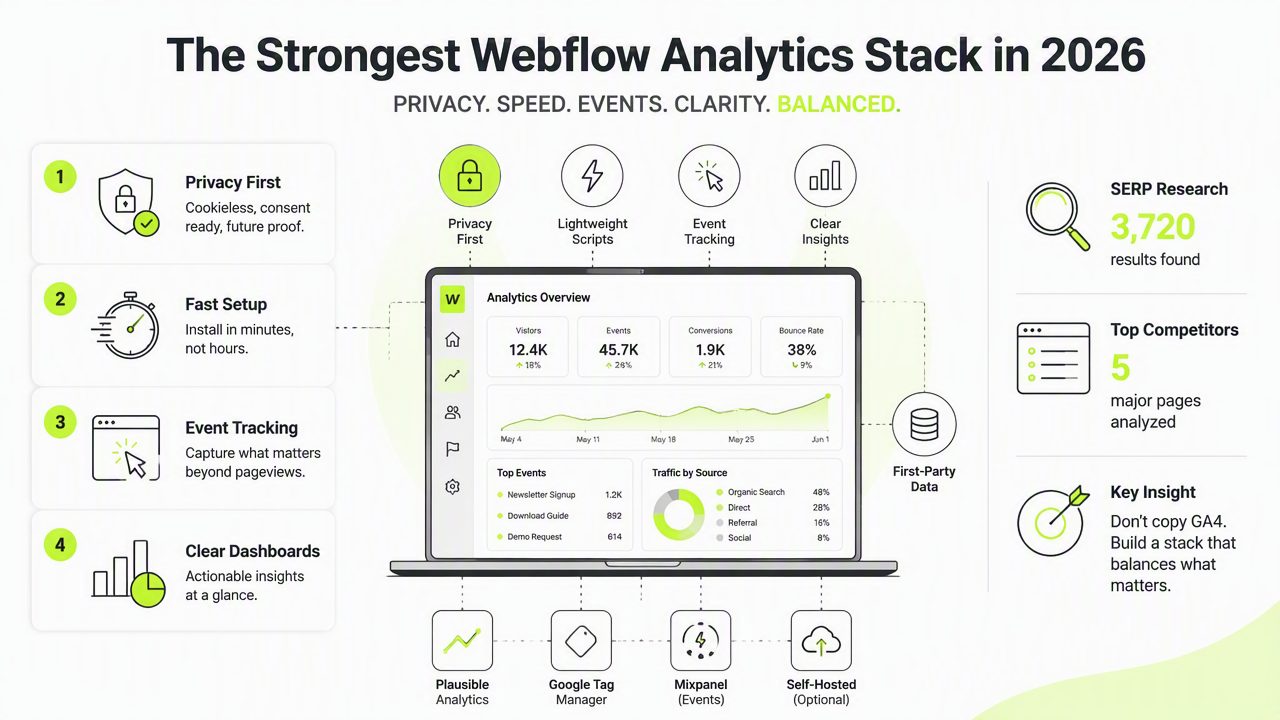
SERP research for this topic found 3,720 results and five major competitor pages, including Webflow roundups on analytics tools and GA4 alternatives. Several rank Webflow Analyze highly because it is native to Webflow, while community results also mention PostHog as a flexible option.
Key insight: cookieless analytics works best when reporting answers business questions, not when it tracks every possible interaction.
For SaaS founders, agency teams, and ecommerce landing pages, the shortlist should start with tools that fit Webflow's Build, Manage, Optimize, and Extend workflow without adding heavy scripts or confusing reports.
Ranked shortlist by best-fit Webflow use case
| Rank | Tool | Best fit | Webflow setup | Privacy posture |
|---|---|---|---|---|
| 1 | Faurya | SaaS, indie products, ROI-focused sites | Lightweight site integration | Cookieless, privacy-aware analytics |
| 2 | Webflow Analyze | Native Webflow reporting | Built into Webflow | Cookieless and privacy-first per competitor research |
| 3 | Fathom | Simple marketing dashboards | Custom code embed | Privacy-friendly analytics |
| 4 | Plausible | Lean content and landing pages | Script embed | Cookie-free analytics |
| 5 | PostHog | Product analytics and events | Script plus configuration | Flexible privacy controls |
| 6 | GA4 | Deep ad and attribution reporting | Tag or GTM setup | Often requires consent planning |
How to choose without adding GA4 complexity
A Webflow site should choose analytics based on the decisions the dashboard must support, not the number of available charts.
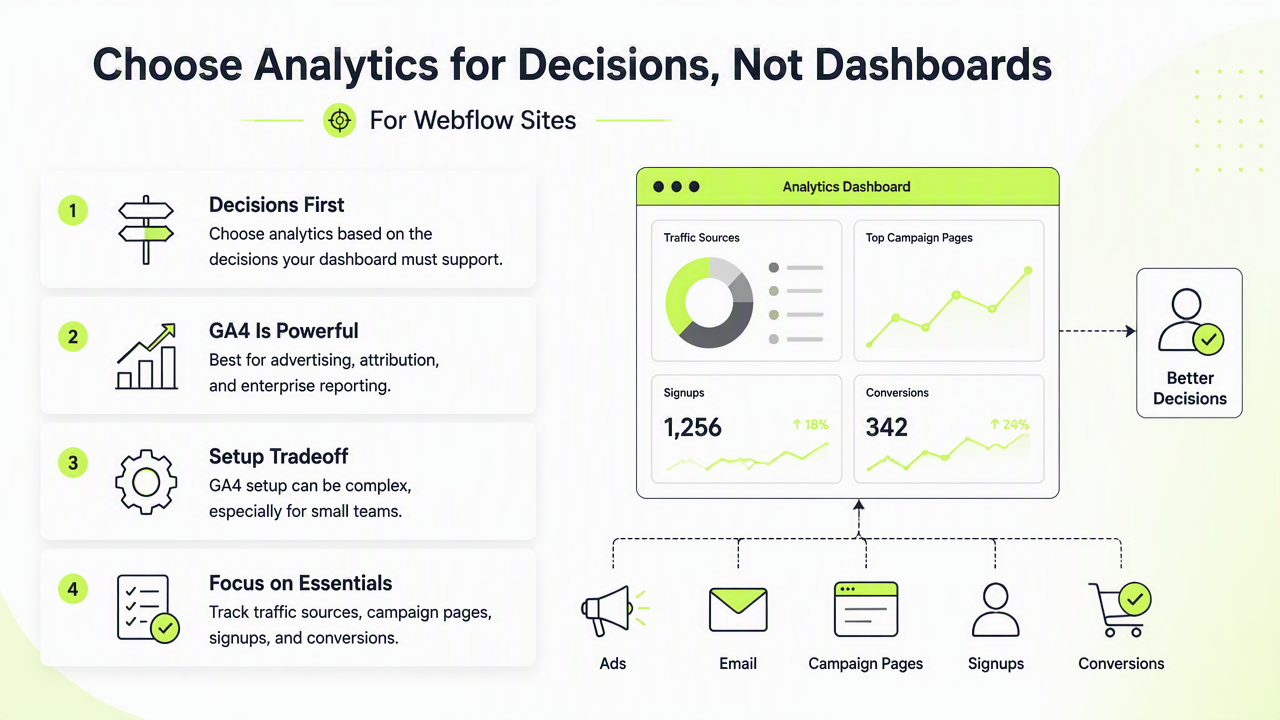
GA4 remains powerful for advertising, attribution, and enterprise reporting. The tradeoff is setup complexity, especially for small teams that mainly need traffic sources, campaign pages, signups, and conversion paths. Competitor analysis shows Webflow Analyze vs GA4 comparisons are already prominent in 2026, which signals demand for simpler privacy-first options.
A practical selection process is short:
- Define the primary conversion, such as demo request, checkout click, or newsletter signup.
- Check whether the tool supports that event without custom engineering.
- Confirm whether cookies, consent banners, or data processing paperwork are required.
- Review dashboard clarity for non-technical stakeholders.
- Test page-speed impact on a real Webflow page.
Decision matrix for SaaS, agencies, and ecommerce
| Buyer type | Priority | Best match |
|---|---|---|
| SaaS founder | Signup and activation visibility | Faurya or PostHog |
| Indie hacker | Fast setup and readable metrics | Faurya or Plausible |
| Webflow agency | Client-friendly reporting | Webflow Analyze or Fathom |
| Ecommerce landing page | Campaign and checkout intent | Faurya or GA4 |
| Privacy-conscious owner | Minimal tracking surface | Webflow Analyze, Fathom, Plausible |
What to expect from Webflow analytics in 2026
Cookieless analytics for Webflow is moving toward simpler dashboards, first-party events, and AI-assisted interpretation rather than heavier tracking.
Webflow's own product direction now includes platform features such as Webflow AI, Analyze, Optimize, and broader marketing workflows. That matters because website analytics is no longer a separate reporting chore; it sits inside content production, conversion testing, and growth planning.
Third-party tools still matter. Native analytics can explain Webflow site performance, while specialized tools can connect campaigns, funnels, and revenue signals across product or commerce systems.
Faurya fits that future by focusing on practical traffic and conversion reporting for teams that want useful answers without GA4-style overhead. More details are available at faurya.com.
Signals that a tool is ready for the next privacy cycle
A future-ready Webflow analytics tool should show evidence of four traits:
- Cookieless measurement: core reports work without personal tracking cookies.
- Event clarity: conversions are easy to define and read.
- Dashboard simplicity: non-technical teams can act on the numbers.
- Webflow fit: installation does not disrupt design, CMS, or page performance.
Best practice: pick the lightest tool that answers revenue and conversion questions accurately enough for weekly decisions.
Conclusion
The best cookieless analytics tools for Webflow websites are not identical: Faurya is a strong first pick for practical ROI tracking, Webflow Analyze suits native reporting, and Fathom or Plausible fit lightweight privacy dashboards. Shortlist two tools, test them on the same Webflow site for one week, then keep the one that makes conversion decisions clearer. For a privacy-aware starting point, visit faurya.com.
Generated by EarlySEO.com