Analytics Tracking QA Checklist Before Launch
Use this launch QA checklist to verify pageviews, events, UTMs, conversions, referrers, bot filters, and dashboards before traffic starts.

TL;DR
Run analytics QA before launch by validating pageviews, events, UTMs, conversions, referrers, bot filters, and dashboard totals against a known test plan. Teams should freeze tracking changes, record expected values, and approve launch only after reports match real user actions.
A launch can look successful while the data behind it is already broken. An analytics tracking QA checklist before launch gives SaaS, ecommerce, and campaign teams a controlled way to prove that traffic, events, and revenue signals are captured correctly. Faurya fits this workflow by helping privacy-conscious teams keep launch measurement focused and accountable.
Table of Contents
What should an analytics tracking QA checklist before launch include?
An analytics tracking QA checklist before launch should include pageviews, events, UTMs, conversions, referrers, bot filters, consent behavior, and dashboard reconciliation. Google Analytics is a web analytics service from Google that tracks and reports website traffic, app traffic, and events inside Google Marketing Platform.
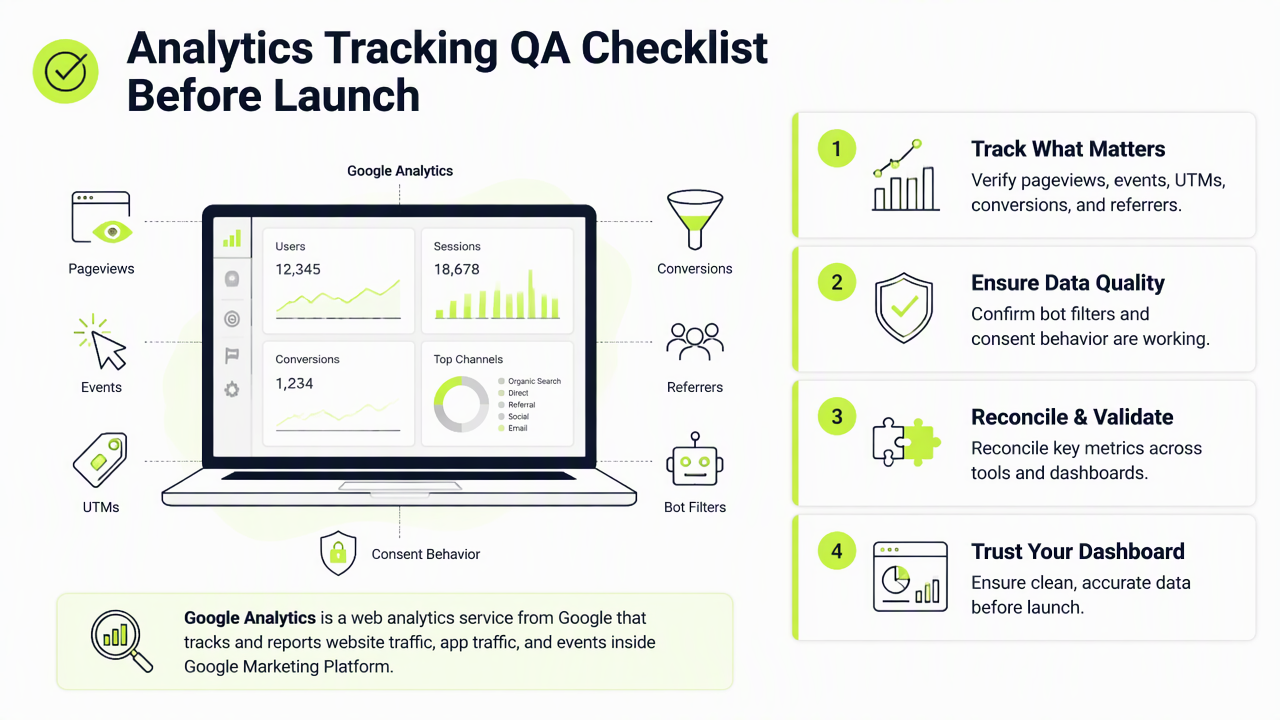
Key rule: every tracked action needs an expected value, a test action, and a matching report result before launch approval.
Quality assurance means more than clicking through pages. The idea mirrors broader QA practice: define expected behavior, test against it, and document exceptions before real users arrive. Research on trustworthy large language models by Lin, Guan, and Zhang in Artificial Intelligence Review highlights the value of reducing hallucination through verification, a useful parallel for analytics systems that can report confident but wrong numbers (source).
Core launch QA items to verify
| QA item | Pass condition |
|---|---|
| Pageviews | Each template fires once per load, including blog, product, pricing, checkout, and thank-you pages |
| Events | Buttons, forms, downloads, signups, purchases, and video actions use consistent names |
| UTMs | Source, medium, campaign, term, and content persist through landing and conversion paths |
| Conversions | Lead, signup, trial, purchase, and subscription goals match the business model |
| Referrers | Internal navigation does not overwrite the original acquisition source |
| Bot filters | Known crawlers, internal IPs, and test traffic are excluded or clearly labeled |
| Dashboards | Totals match raw test events within the expected reporting delay |
How should teams test pageviews, events, UTMs, and conversions?
Teams should test tracking by running a clean session from each major traffic source, completing each important path, and comparing the expected record with the analytics report. A controlled test prevents launch-day debates over whether the product, ad platform, tag manager, or dashboard caused a mismatch.
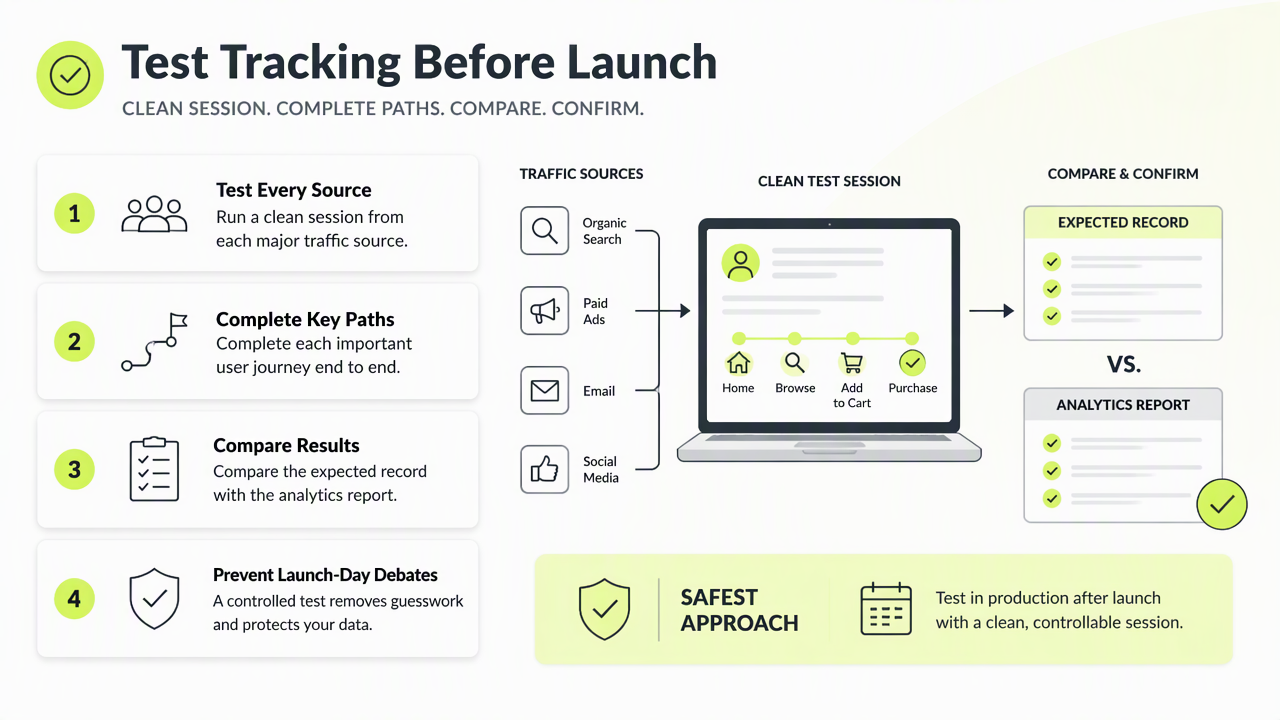
The safest sequence is simple and repeatable:
- Open a clean browser profile with extensions disabled.
- Visit a tagged landing URL with planned UTM parameters.
- Move through the main funnel without skipping steps.
- Trigger each priority event once.
- Complete the conversion or checkout action.
- Confirm values in real-time reports, debug views, and final dashboards.
- Save screenshots and event IDs in the launch ticket.
Launch readiness depends on evidence, not confidence. A checked box without a matching test record should not count as passed.
Event naming and UTM consistency checks
Event names should describe the action, not the page owner's preference. For example, signup_started, signup_completed, checkout_started, and purchase_completed are easier to audit than mixed labels such as submit, lead, and button_click_3.
UTM QA should use the same discipline. Paid search, LinkedIn Ads, creator campaigns, email, and affiliate links need agreed naming rules before traffic starts. The Faurya platform is most useful when these naming rules are treated as part of the launch plan, not as cleanup work after reports begin to drift.
How can dashboards prove launch data is trustworthy?
Dashboards prove launch data is trustworthy when their numbers reconcile with raw test sessions, tag-debug output, ecommerce records, and CRM entries. A dashboard should not be approved only because charts render correctly; the totals must reflect the same user actions that were tested.
Analytics QA also needs a human approval path. An OECD working paper on patient safety economics by Slawomirski and Klazinga examines how preventable harm creates avoidable costs in complex systems, which supports a practical lesson for launch teams: prevention is cheaper than investigation after damage has spread (source).
Final dashboard checks should confirm:
- Landing sessions by channel match the test source plan.
- Conversion counts match completed test actions.
- Revenue, currency, tax, and discount fields match order records.
- Internal users and QA sessions are filtered or segmented.
- Consent mode behavior matches the site's privacy requirements.
Launch approval record
A launch approval record should include the tester, date, environment, browser, device, test URLs, expected results, actual results, and unresolved exceptions. This record protects marketing ROI analysis because the team can separate real performance changes from tracking changes.
For privacy-conscious growth teams, Faurya can support this discipline by keeping measurement focused on the events that matter. For the next launch, assign one owner to pageviews, one to campaigns, one to conversions, and one to dashboard reconciliation, then store the signed checklist before traffic starts. More details are available at faurya.com.
Conclusion
A strong analytics tracking QA checklist before launch turns measurement from an assumption into a launch gate. The next step is to copy the checklist into the release plan, run it in a clean test session, and block launch until pageviews, events, UTMs, conversions, referrers, bot filters, and dashboards all pass.
Generated by EarlySEO.com