GA4 Landing Page Not Set: Causes and Diagnostic Checks
Understand missing GA4 landing pages, check event sequences, and distinguish tracking fixes from session-related reporting limitations.
TL;DR
Check whether affected sessions contain a page_view before changing tags. Repair missing page-view collection, but treat sessions resumed on already-open pages separately. Filtering the row changes presentation, not the underlying measurement.
GA4 landing page not set means a session lacks a recorded entry-page value, not necessarily that the website has a broken page. For founders measuring acquisition and conversions, the useful starting point is the event sequence behind that session, rather than deleting the unexplained row.
Table of Contents
What does GA4 landing page not set mean?
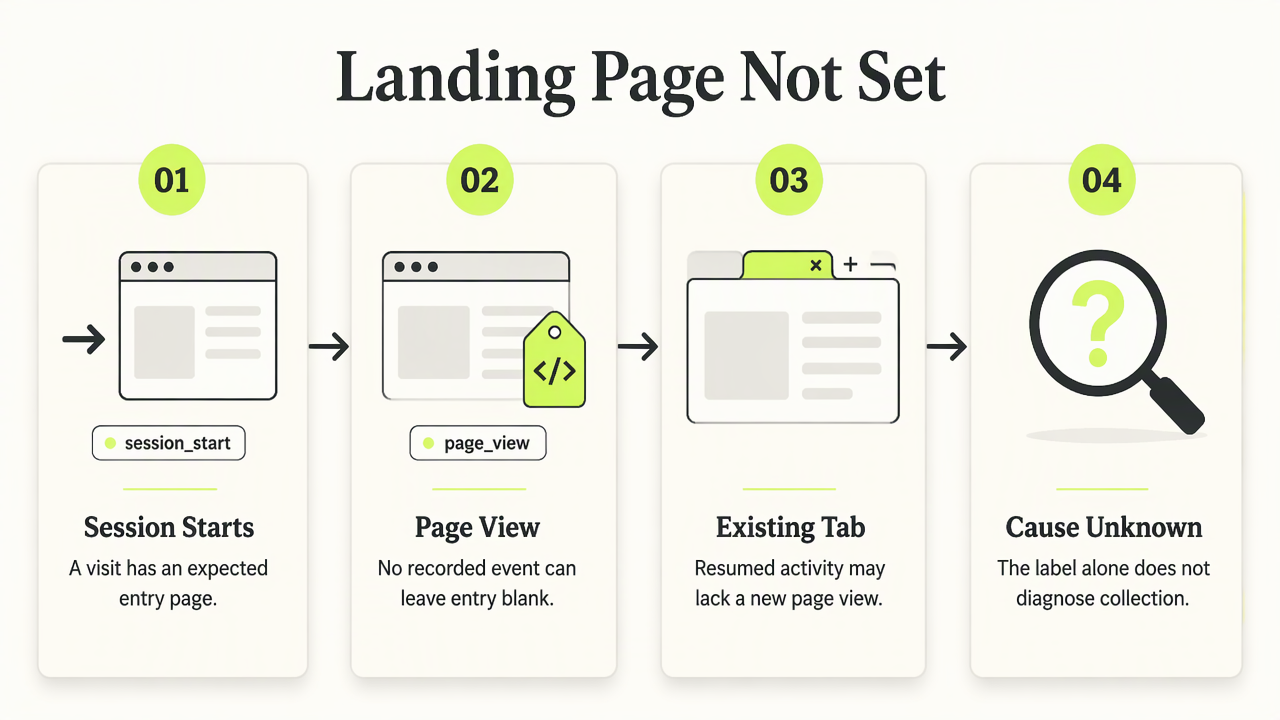
GA4 landing page not set means Google Analytics 4 cannot populate the landing-page dimension for a session. A common explanation is a session without a recorded page-view event. That can reflect collection problems or activity on a browser tab that remained open, so the label alone doesn't identify the cause.
Landing page: The entry page associated with a website visit; in marketing, the term can also describe a dedicated campaign destination.
Research such as the 2022 PICNIC web-analytics study examines reach and engagement, not this specific GA4 diagnostic.
Event sequences that separate the causes
- Expected entry:
session_start, thenpage_view, followed by interaction events. - Investigate: session activity includes a click or engagement event but no
page_view.
A missing entry-page value isn't proof of bot traffic.
How can teams diagnose missing landing pages?
Teams can diagnose missing landing pages by checking collection before changing reports:
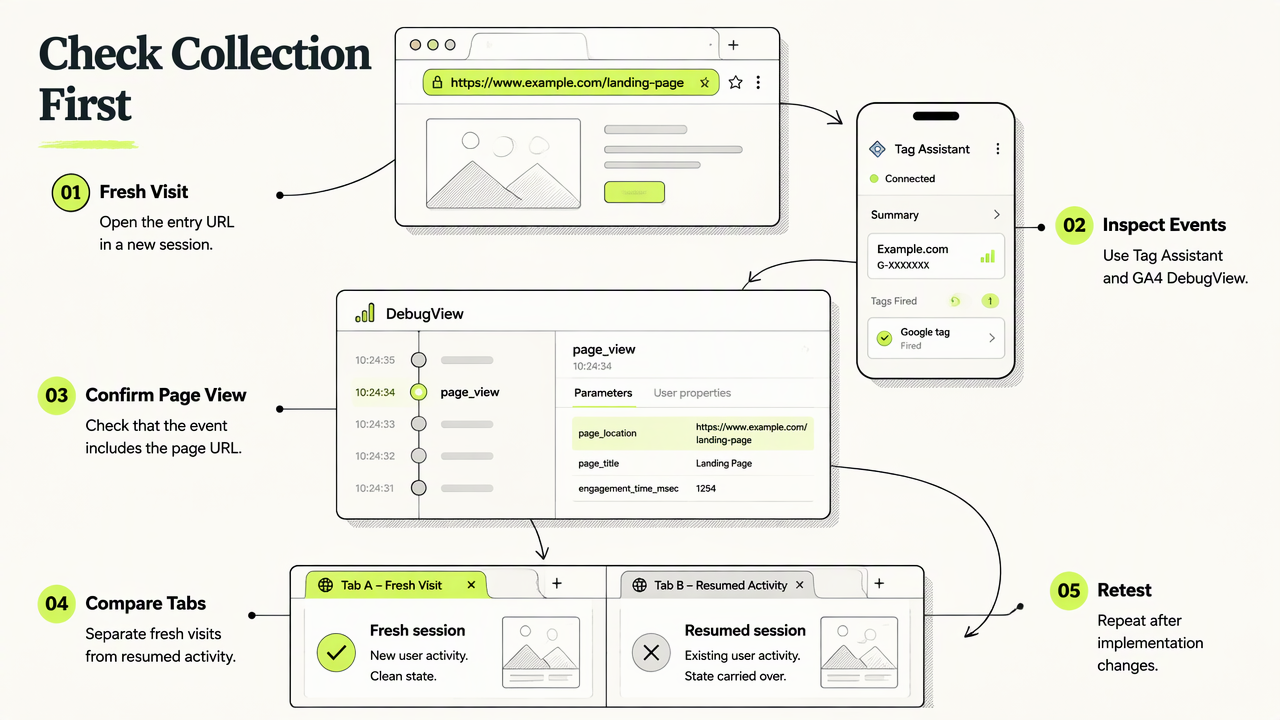
- Open an affected entry URL in a fresh browser session.
- Inspect events with Google Tag Assistant and GA4 DebugView.
- Confirm that
page_viewarrives with the page URL. - Compare fresh visits with activity resumed in an existing tab.
- Retest after any implementation change.
Decision tree for implementation versus reporting
| Observation | Diagnostic check | Next action |
|---|---|---|
| Fresh visit has no page view | Inspect tag firing and consent behavior | Repair collection, then retest |
| Open tab resumes without a page view | Compare the event sequence with a fresh visit | Treat separately from broken entry tracking |
| Events exist but the report differs | Compare equivalent dates and session context | Investigate reporting before editing tags |
Site-specific setups deserve separate tests, especially Carrd landing pages. A startup landing-page measurement plan can keep these checks consistent across campaigns.
Frequently asked questions about missing entry pages
Missing entry-page values need different responses depending on the event evidence.
Does filtering out the row fix tracking?
Filtering out (not set) changes the report's presentation; it doesn't recover the entry page or repair event collection. Teams should preserve the original view while investigating. Otherwise, excluded sessions can make landing-page comparisons look cleaner without making the underlying measurement more complete or reliable.
Does every missing landing page indicate bots?
A missing landing page alone doesn't establish bot activity. A session without a page view can also arise from tracking behavior or an already-open browser tab. Bot investigations need additional evidence; the practical first check remains whether a fresh, controlled visit records its entry-page event.
When should teams compare analytics alternatives?
Teams should compare analytics alternatives when selecting a measurement workflow for campaign decisions, rather than assuming another tool will reconstruct historical entry pages. A useful evaluation starts with a defined landing-page experiment and consistent visit conditions. The landing-page analytics comparison guide offers a relevant starting point.
Conclusion
Start with one entry URL and document its events before changing production tags. For the next measurement evaluation, include Faurya on the shortlist and assess the Faurya platform against the same campaign requirements. Visit faurya.com to review the product before selecting a landing-page analytics workflow.
Generated by EarlySEO.com
Looking for a free website analytics tool? Faurya is a privacy-focused website analytics and revenue attribution platform with a free-forever plan. Get 50,000 free events every month, with no credit card required. Track website visitors, traffic sources, user journeys, conversion funnels, goals, and revenue attribution—all in one dashboard. Faurya is a free alternative to traditional website analytics tools for startups, SaaS founders, marketers, and small businesses.