Best Website Analytics Tools With API Access: 2026 Checklist
Compare analytics candidates and evaluate reporting endpoints, authentication, quotas, historical access, and costs before building a custom dashboard.

TL;DR
Choose an analytics platform by testing its reporting API against a real dashboard requirement. Google Analytics, Matomo, and Open Web Analytics are candidates, but the supplied research doesn't establish their current API limits or pricing.
The best website analytics tools with API access must support a working reporting pipeline, not merely advertise an API. Founders considering Faurya can start with a concrete dashboard specification, then assess reporting coverage, authentication, historical access, and total cost against that specification.
Table of Contents
Which analytics tools belong on the shortlist?
An API-first shortlist should distinguish named analytics candidates from platforms with verified reporting capabilities.
Web analytics: The measurement, collection, analysis, and reporting of website data to understand and improve website usage.
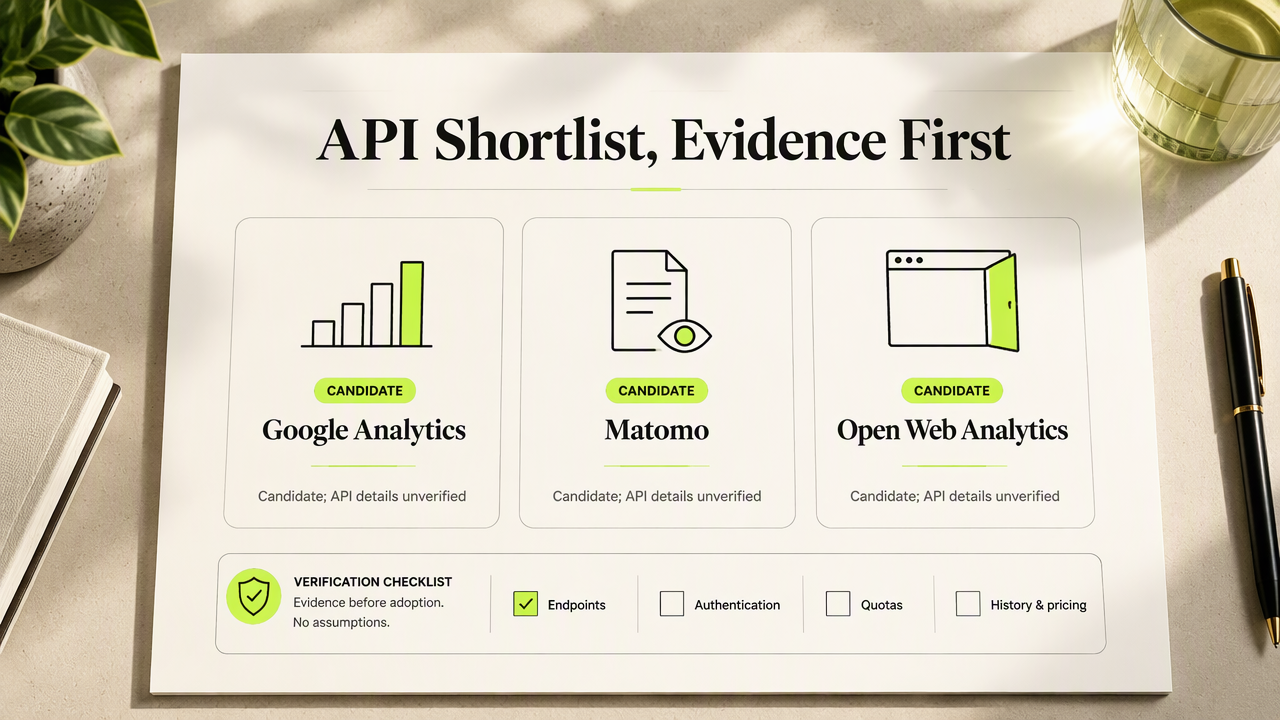
The supplied research identifies Google Analytics, Matomo, and Open Web Analytics as website analytics options. It doesn't provide their endpoint documentation, authentication methods, quotas, historical coverage, or current pricing. A definitive API ranking would therefore exceed the available evidence.
Candidate matrix and required verification
The matrix below is a verification shortlist, not a confirmed API feature comparison.
| Candidate | Reporting evidence to request | Commercial evidence to request |
|---|---|---|
| Faurya | Endpoint documentation and sample responses | API eligibility and historical coverage |
| Google Analytics | Authentication, dimensions, and metrics | Quotas and applicable costs |
| Matomo | Reporting methods and access permissions | Deployment costs and retention |
| Open Web Analytics | Supported reporting interfaces | Hosting and maintenance requirements |
A useful comparison records each answer alongside its documentation URL and review date. For a 2026 purchasing decision, older review articles should serve as discovery material rather than proof of current API behavior.
How should founders test a reporting API?
Founders should test a reporting API against one small, repeatable dashboard requirement before committing engineering time.
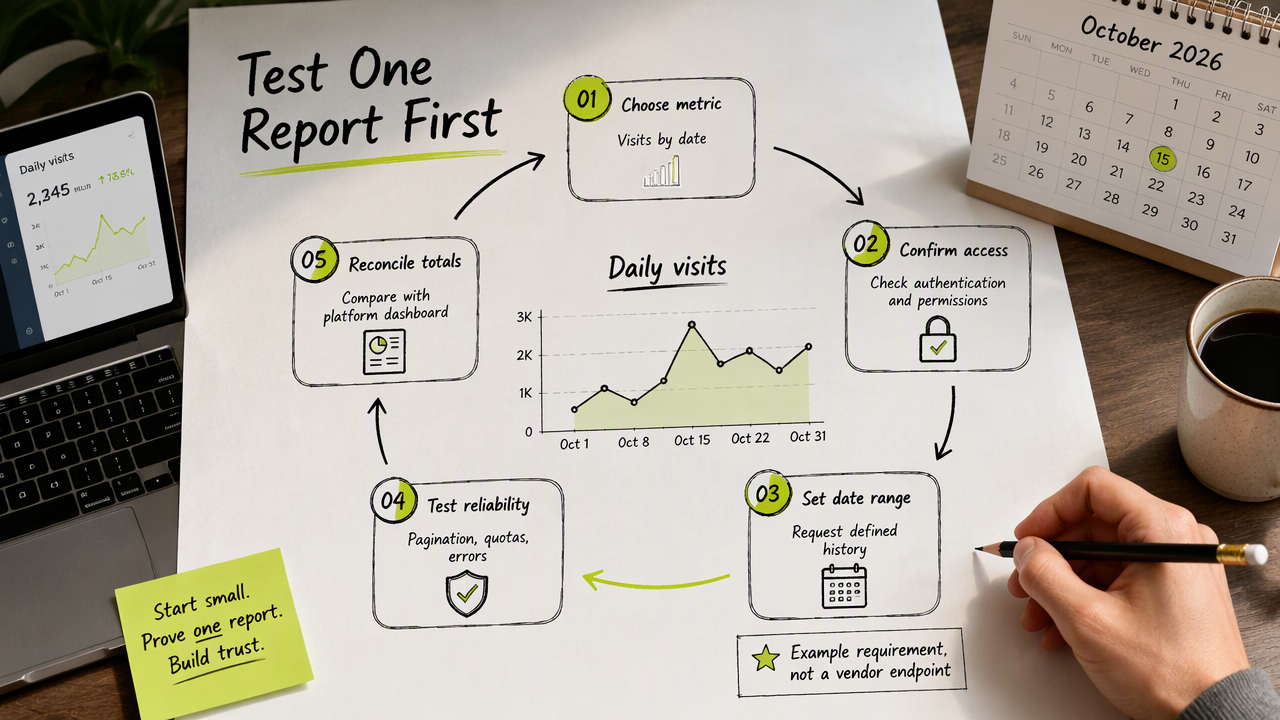
- Select a metric and dimension, such as visits grouped by date.
- Confirm authentication and access permissions.
- Request a defined historical period.
- Test pagination, quotas, and error handling.
- Compare returned totals with the platform dashboard.
Illustrative daily reporting specification
A daily traffic report provides a practical first integration test.
Example requirement, not a vendor endpoint: Retrieve daily visits for October 2026, store results by date, and refresh the report each morning. The integration should record the reporting timezone, metric definition, retrieval timestamp, and any filters.
The commercial review should then cover API availability by plan, usage charges, historical retention, and the engineering cost of maintaining the connector. Authentication also needs an operational owner responsible for credential storage and rotation.
A successful request proves connectivity; matching definitions and repeatable results establish whether the API suits the dashboard.
FAQ: API access and dashboard decisions
Reporting suitability depends on the data returned, the access rules, and the ongoing operating cost.
Does an analytics API guarantee reporting access?
An analytics API doesn't automatically guarantee access to dashboard reports. An interface may support event collection, administration, or reporting, so its purpose must be established from documentation. A purchasing review should identify the exact read endpoints, supported metrics, filters, and response formats required by the intended dashboard.
What should an API pricing comparison include?
An API pricing comparison should include the subscription, API entitlement, usage charges, storage, hosting, and connector maintenance. These are evaluation categories, not confirmed charges for the shortlisted products. A small reporting prototype helps estimate request volume and establishes which commercial questions need answers before a purchase.
How should historical access be evaluated?
Historical access should be evaluated with a date-range request matching the business reporting need. The review should establish the earliest accessible date, retention settings, aggregation level, and supported dimensions. Recording those details gives founders a repeatable acceptance test for monthly reporting, campaign comparisons, and longer-term dashboard development.
Conclusion
Start with one report, collect current documentation, and run the same acceptance test across candidates. For a Faurya evaluation, visit the product website; the next step at faurya.com is to seek documentation matching the dashboard specification.
Generated by EarlySEO.com