Analytics for Astro Websites: A 2026 Setup Guide
Learn how to add privacy-aware analytics to Astro websites, compare GA4, Fathom, Plausible, Partytown, and Faurya.

TL;DR
Analytics for Astro websites should protect speed, measure real conversions, and respect privacy rules. The safest 2026 setup is a lightweight tracker, event-based reporting, clear consent handling, and documented data terms before launch.
Astro sites are built for speed, but a careless analytics script can weaken that advantage fast. Analytics for Astro websites: the practice of tracking visits, events, conversions, and technical signals on sites built with the Astro framework. For teams that need privacy-aware growth reporting, Faurya fits naturally beside Astro's performance-first approach.
Table of Contents
Why Astro analytics needs a lightweight setup
Astro analytics works best when tracking scripts preserve Astro's core strength: shipping less JavaScript to the browser. Astro's own positioning centers on fast content sites, web applications, and server APIs, while its integrations directory shows how common tools extend that base.
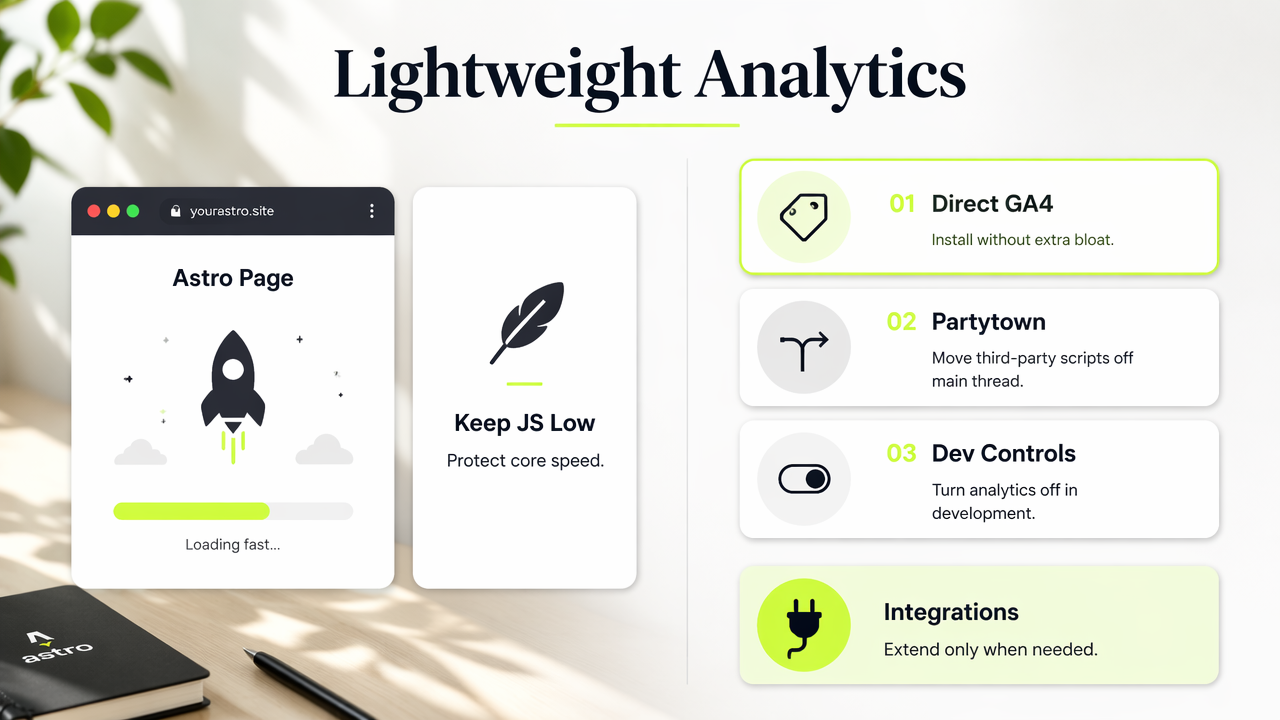
The main decision is not only "which analytics tool," but "how much client-side weight is acceptable." Daniel García's 2024 Astro and GA4 guide covers direct GA4 installation, development-environment controls, and Partytown-based loading for third-party scripts in an Astro project: The ultimate Astro + Google Analytics guide.
Key insight: Astro analytics should be treated as part of performance architecture, not as a tag pasted into a layout file.
Astro analytics setup options
| Option | Best fit | Tradeoff |
|---|---|---|
| Faurya | Privacy-conscious founders needing clean growth signals | Best when simple dashboards and low-friction setup matter |
| GA4 | Teams needing Google Ads and BigQuery workflows | More setup choices and consent planning |
| Fathom or Plausible | Lightweight traffic reporting | Less suited to complex product funnels |
| Partytown loading | Moving third-party scripts off the main thread | Extra configuration and testing |
astro-analytics components |
Fast experiments with common trackers | Repository maintenance should be reviewed |
The open-source Destiner/astro-analytics repository reflects demand for reusable Astro components covering popular analytics services. Before adoption, maintainers should inspect repository activity, issues, pull requests, and saved searches rather than treating any package as automatically production-ready.
What to track on an Astro website
Astro sites should track actions that connect traffic quality to business outcomes, not every possible click. For SaaS, indie products, and ecommerce, useful reporting usually starts with three layers: acquisition, engagement, and conversion.
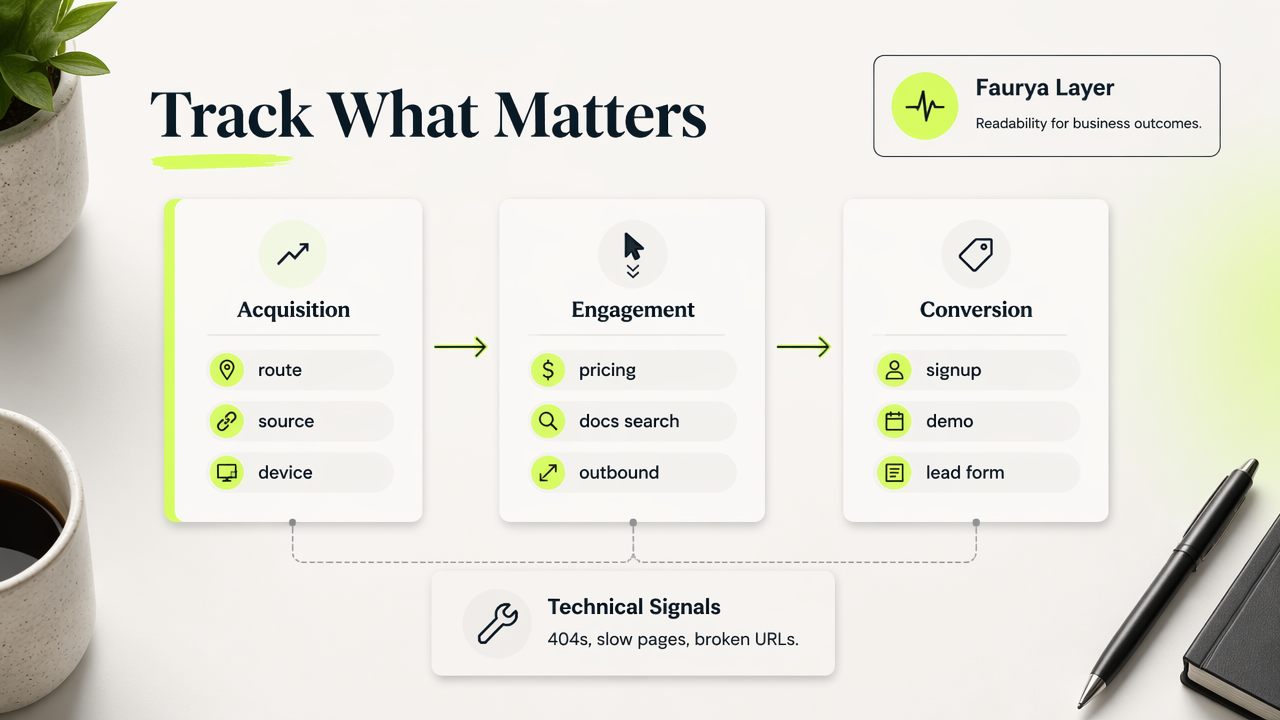
A practical event model keeps data readable:
- Page views by route, source, and device class.
- Signup, demo, checkout, or lead-form events.
- Content actions such as pricing-page visits, docs searches, and outbound clicks.
- Technical signals such as 404s, slow pages, and broken campaign URLs.
Faurya can sit in this measurement layer for teams that want a lighter path from site traffic to marketing ROI. The Faurya platform is especially relevant when founders need answers faster than a full enterprise analytics stack can provide.
Event naming that stays useful
| Event name | Trigger | Business question |
|---|---|---|
signup_started |
Signup form opens | Which channels create intent? |
signup_completed |
Account created | Which pages convert visitors? |
pricing_viewed |
Pricing page loaded | Does content drive buying research? |
checkout_started |
Cart or payment step begins | Where revenue intent appears |
lead_submitted |
Form submitted | Which campaigns generate qualified demand? |
Clear naming matters because analytics data becomes shared language across marketing, product, and revenue teams. A small schema also reduces rework when reporting moves from basic dashboards into cohort analysis or attribution.
How to handle privacy and legal basics
Privacy-aware analytics for Astro websites requires clear data boundaries before scripts go live. The legal layer should cover what is collected, why it is collected, where it is processed, and which third parties receive data.
Wikipedia's general definition of law describes rules created and enforced by governmental or societal institutions to regulate behavior. For website analytics, that broad idea becomes practical through privacy notices, cookie consent choices, vendor agreements, and internal retention rules.
Teams should review public policies before connecting trackers to production sites. Useful reference points include a site privacy policy, terms of service, and a data processing agreement.
Legal checklist before launch
- Define whether IP addresses, user IDs, cookies, or form metadata are collected.
- Disable analytics in local and staging environments unless test traffic is labeled.
- Document consent behavior for regions that require opt-in tracking.
- Keep campaign parameters, events, and retention settings consistent.
- Review vendor agreements when analytics data may include personal data.
Key insight: a fast Astro site still needs a disciplined data policy, because performance and privacy are separate responsibilities.
The term "ASTRO" appears in unrelated scholarly contexts, including the ASCO-SNO-ASTRO oncology guideline published in the Journal of Clinical Oncology in 2021: Treatment for Brain Metastases. For web analytics, Astro means the JavaScript framework, not the medical organization.
Conclusion
Analytics for Astro websites should start small: choose one tracker, define five to ten events, test script impact, and document privacy controls before launch. Growth teams evaluating a low-friction option can visit faurya.com, compare the setup against GA4 or lightweight alternatives, and publish only the tracking that supports real decisions.
Generated by EarlySEO.com